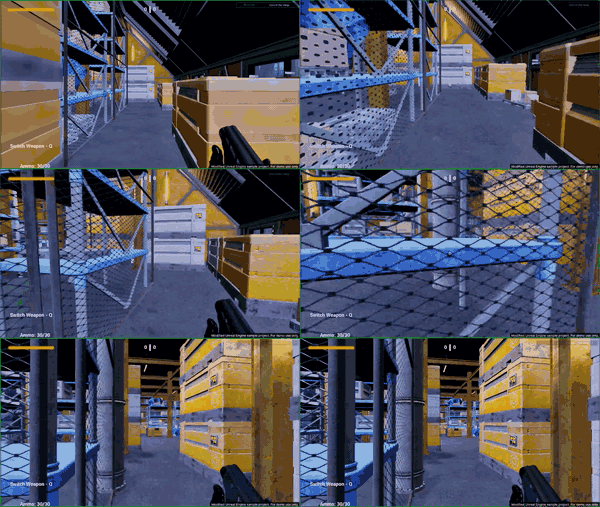
The integration-free game testing tool built to supercharge game QA teams. Capture performance issues, review AI-generated bug drafts, and manage reports faster – while your testers stay in control of what gets validated and shipped.
Focus on high-impact testing, uncover critical issues sooner, and ship polished builds faster.
Set custom thresholds for FPS, CPU and GPU usage, and memory. QA Companion-AI tracks performance throughout each test run to help identify drops, spikes, and bottlenecks.
QA Companion-AI automatically creates bug reports that include performance statistics and gameplay footage during when the bug occurred. This gives developers the context they need to investigate faster.
Performance Bug BUG-MAG-001 detected at 0:44 elapsed. CPU % 5.02 (threshold: 25 ~ 45), GPU % 3.19 (threshold: 23 ~ 38), RAM % 6.26 (threshold: 2 GB ~ 6 GB).
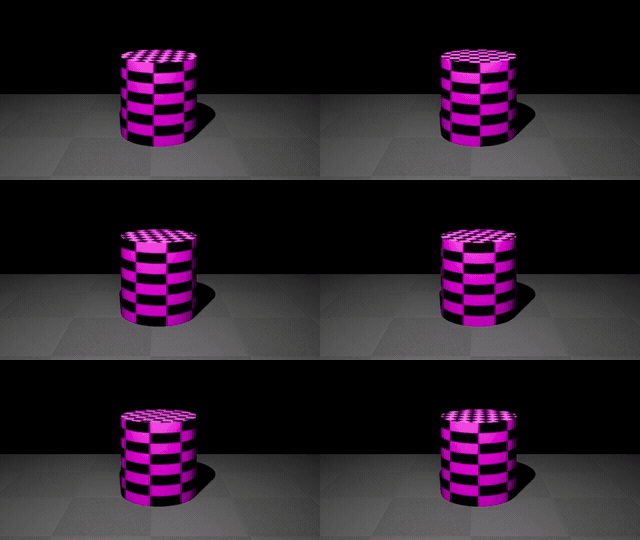
Capture gameplay with a hotkey, then let QA Companion-AI analyze the recording for visible bugs.
Cylinder displays pink/black missing-texture checkerboard
Vision recording
QA Companion-AI turns recorded test footage into actionable bug reports, automatically documenting the issue, outlining reproduction steps, and highlighting deviations from the expected behavior.
A 3D cylinder model in the scene is rendered with a bright pink and black checkerboard pattern, which is the standard indicator of a missing or unassigned texture asset.
The cylinder is rendered with a pink and black checkerboard pattern, indicating a missing texture asset.
The cylinder should display its intended texture or material.
Performance bugs and vision bugs are automatically logged as draft bug reports, reducing manual documentation.
Review, refine, and approve AI-generated bug drafts with confidence in just a few clicks.
Cylinder displays pink/black missing-texture checkerboard
Performance threshold violation
Cylinder is out of shape
No confirmed bugs yet
Triage bugs within QA Companion-AI, then export cleaner, deduplicated reports to Jira for follow-up with a single click.
Editing is locked. This bug has been exported to Jira as QAC-14
Generate functional, boundary, and negative test cases in minutes from prompts or uploaded Game Design Documents (GDD).
QA Companion-AI uses AI to analyze gameplay footage for visible bugs and automatically generate structured bug reports with descriptions and reproduction steps without manual logging.
It detects visual, animation, physics, collision, and rendering issues, along with performance‑related problems such as FPS drops and hardware spikes.
Start your test run, capture bugs, and send them directly to Jira to continue using your existing workflow. QA Companion-AI also accelerates testing with AI test case generation and vision-based bug detection, automatically creating test cases and generating bug reports in the background as QA testers play.
Smarter AI test-case generations, AI Agents to test for you, richer dashboards and more integrations.
No. It automates repetitive tasks like capturing issues and drafting reports, while testers continue to drive analysis and decision‑making.
For pricing details, please contact us to discuss a plan that fits your game QA needs, or request for a private offer on AWS Marketplace.
Razer QA Companion-AI is an integration‑free, turnkey game testing AI tool that transforms game QA. Powered by vision‑based intelligence and automated test workflows, QA Companion‑AI helps teams uncover more bugs, validate gameplay, and streamline reporting — all without scripting or engine modifications. Built for every game genre, it accelerates testing and cuts QA time, helping studios ship polished builds faster.
Receive official updates on Razer's AI gaming initiatives and related corporate developments.